How Long Does It Take to Charge an Apple Watch?
Charging an Apple Watch takes 60-90 minutes on average, depending on the model, charger, and battery level. Newer models charge faster with a USB-C fast charger, ideal for UK users.
Starting at £399 (41mm), £429 (45mm)
Charging Times by Model
Not all Apple Watches charge at the same speed. Apple has improved charging with newer models, especially Series 7-10 and Ultra series.
| Apple Watch Model | 0-80% Charge Time | 0-100% Charge Time |
|---|---|---|
| Series 1-6* | ~90 min | ~120 min |
| Series 7-9 | ~45 min | ~75 min |
| Series 10 | ~30 min | ~60 min |
| Ultra 1 & 2 | ~60 min | ~90 min |
| SE (1st & 2nd Gen)* | ~90 min | ~150 min |
*No fast charging support
Why Does Charging Take Longer?
Slower charging often results from using an older adapter or cable. Newer models require a 20W+ USB-C adapter to maximize fast charging benefits.
Checking Charging Status
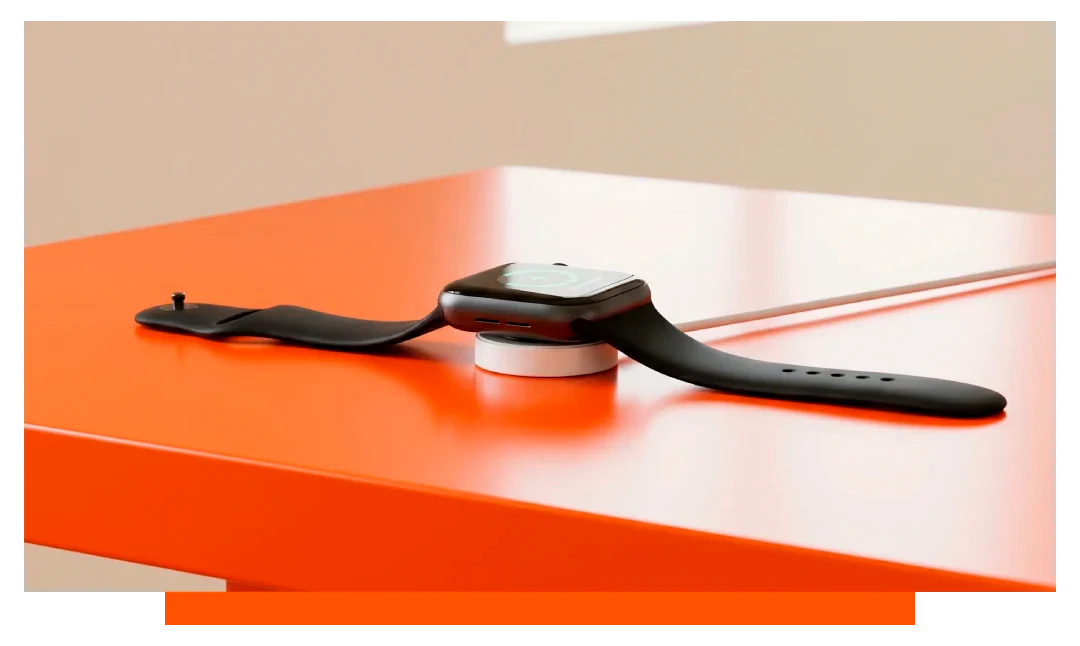
A green lightning bolt appears when charging; a red bolt indicates a low battery. Check the battery percentage via:
- Control Centre battery icon
- iPhone battery widget
- Nightstand mode
First-Time Charging
The initial charge may take longer, typically 90-120 minutes to reach 100%, depending on the model. A full charge calibrates the battery for longevity.
Factors Affecting Charging Time
- Adapter type (USB-C vs. USB-A)
- Adapter wattage (20W+ recommended)
- Cable type (magnetic or fast charger)
- Software updates
- Battery temperature
Extreme temperatures or outdated software can slow charging.
Tips for Faster Charging
- Use a 20W+ USB-C adapter
- Enable Airplane Mode
- Avoid hot charging environments
- Update to the latest software
Use original Apple cables for best results.
When to Charge Your Apple Watch
Charge when the battery drops below 20%, signaled by a notification. For sleep tracking, charge during the day; a 30-minute charge often exceeds 50%.
How Often to Charge
Charging frequency depends on usage, with most models lasting 18-36 hours. The Ultra series extends to 60 hours for active UK users.
FAQs: Apple Watch Charging
Does Airplane Mode Charge Faster?
Yes, by 10-15% faster.
Can I Use My iPhone Adapter?
Yes, if it provides at least 5W.
Is Overnight Charging Safe?
Yes, charging stops automatically at 100%.
What If Charging Is Slow?
Check your cable/adapter and update software.
Does the SE Charge as Fast as Series 8?
No, SE models lack fast charging.
Troubleshooting Charging Issues
- Clean the watch’s contact point
- Try a different adapter or cable
- Restart the watch and retry
- Reset the watch as a last resort
Contact Apple Support if issues persist.
Conclusion
Charging an Apple Watch takes 60-90 minutes, with Series 10 reaching 80% in ~30 minutes and Series 7-9 in ~45 minutes. Use a 20W+ USB-C adapter and original cables for optimal speed. Plan short charging sessions to keep your watch powered,. Consider using one of our Apple Watch Chargers or docking stations.