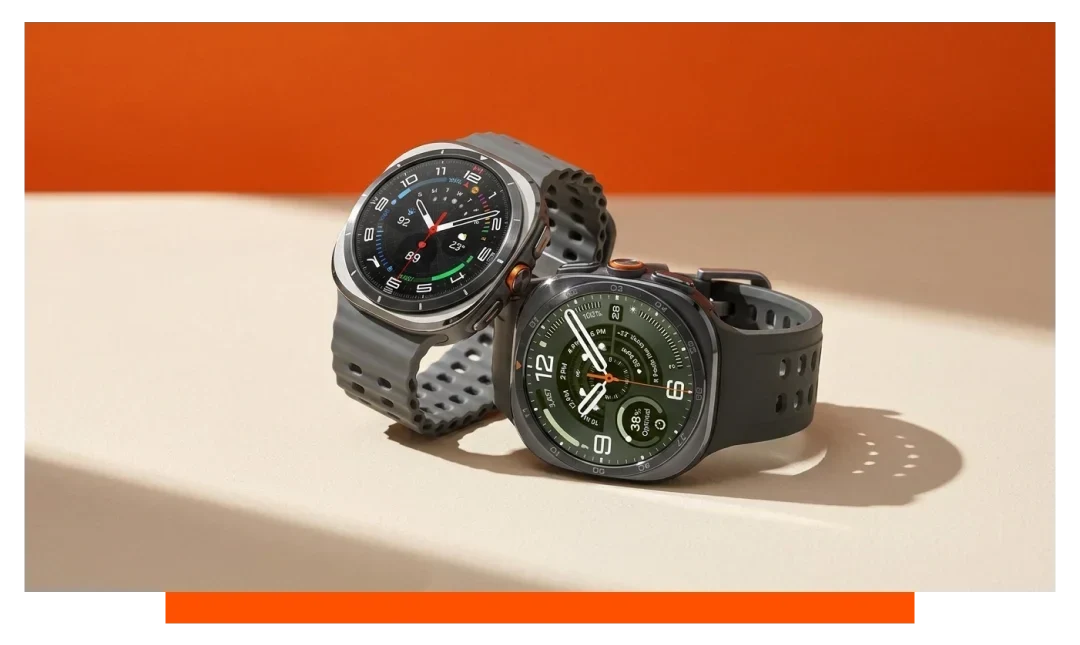
Yes. You can export Apple Watch health data to Google Sheets by exporting your Apple Health data on iPhone, converting it to CSV with a trusted app, then importing it into Sheets, or by automating everything with Shortcuts and a Google Apps Script web endpoint that writes rows directly.
What you need before exporting
Use an Apple Watch 11 paired to an iPhone running the latest iOS so Health data is complete and current. Ensure Google Sheets is accessible in your Google account and that you have iCloud or Files storage space. Keep your watch snug for accurate heart rate and motion readings.
- Apple Watch 11
- Updated iPhone
- Google Sheets account
- iCloud Drive space
- Stable internet
- Conversion app
Method 1 - Manual export then import
Step 1 - Export from Apple Health on iPhone
Open Health, tap your profile, then choose Export All Health Data to create a ZIP containing an export.xml file. A typical 6-month export ranges from 10-200 MB depending on sensors enabled and app integrations. Save the ZIP to Files or iCloud Drive for easy access on desktop.
Step 2 - Convert XML to CSV
Because Health exports XML, use a converter like QS Access or Health Auto Export on iPhone to produce CSV tables for steps, heart rate, sleep, and more. QS Access can generate tidy, minute-level or hourly tables with ISO timestamps. Expect heart rate tables to exceed 50,000 rows for active months.
Step 3 - Import CSV into Google Sheets
On desktop, open Google Sheets, choose File - Import, upload your CSV, and set separator detection to automatic. Large files import faster if split by metric, such as one CSV for heart rate and another for steps. Sheets handles 10 million cells per spreadsheet, so split very large datasets by month.
Method 2 - Automatic export with Shortcuts
Overview of automation flow
Create a Google Apps Script web app that accepts a POST request and appends a row to your Sheet. Then build an iOS Shortcut that reads Health samples and posts them to that URL at a schedule you choose. This setup streams data from Apple Watch 11 to Sheets with minimal manual work.
Create the Google Apps Script web endpoint
In your Sheet, open Extensions - Apps Script, add a doPost handler that appends JSON fields to a target sheet tab, then Deploy - New deployment - Web app. Set access to Anyone with the link if you are not using OAuth. Copy the web app URL for your Shortcut.
Build the iOS Shortcut
In Shortcuts on iPhone, add actions: Get Health Samples for data types like Heart Rate, Active Energy, Steps, Sleep, then Format Date and Build Dictionary. Use Get Contents of URL to POST the dictionary to your web app with Content-Type set to application/json. Add an Automation to run hourly or daily when on power and Wi-Fi.
Method 3 - Third-party connectors
Dedicated apps like Health Auto Export can write recurring CSVs to iCloud Drive for automatic ingestion by a desktop script into Sheets. Services like Strava or TrainingPeaks can receive Apple Watch 11 workouts via HealthFit, then pass summaries to Sheets through Zapier. While not direct HealthKit to Sheets, this creates a stable, low-maintenance pipe for workout metrics.
Can I download Apple Health data as CSV?
Yes, but not natively from the default export. Apple Health exports an XML file, while apps such as QS Access and Health Auto Export produce CSVs that are ready for Google Sheets. Many users prefer CSV because column headers are predictable and timestamps are ISO 8601.
How to share Apple Watch workout data?
Share Activity and trends with friends
Open Fitness on iPhone, tap Sharing, then the plus icon to invite contacts and share rings and workout summaries. You can share highlights like Move calories, Exercise minutes, and total workouts. This is ideal for accountability without exposing raw health streams.
Sync workouts to fitness platforms
Install HealthFit to push completed Apple Watch 11 workouts to Strava, TrainingPeaks, or Dropbox. Once in Strava, services like Zapier can log activity summaries to Google Sheets, including date, sport, distance, and time. For GPX routes, export from Strava or use HealthFit to save GPX directly.
What data will you get and how big?
From Apple Watch 11 you can export steps, distance, floors climbed, heart rate, HRV (SDNN), resting HR, walking HR average, cardio fitness (VO2 max), SpO2, sleep stages, wrist temperature variation, and more. A single day can create 1,440 timestamped rows for minute-level metrics. Heart rate during workouts contributes a dense series that can exceed 5,000 points per long session.
- Steps and distance
- Heart rate and HRV
- Sleep stages
- SpO2 and VO2
- Wrist temperature
- Resting rate
Export methods compared for Google Sheets
The table below compares common ways to land Apple Watch 11 health data in Google Sheets. Pick based on how frequently you need updates and how comfortable you are with setup. Costs are approximate and can vary by region.
| Method | Sheets format | Automation | Setup time | Ongoing cost | Best for |
|---|---|---|---|---|---|
| Manual export + CSV | Clean CSV tables | No - manual uploads | 10-20 minutes | Free | Occasional snapshots |
| Shortcuts + Apps Script | Direct row append | Yes - scheduled | 25-45 minutes | Free | Daily automation |
| QS Access copy-paste | CSV or clipboard | Partial - semi manual | 5-10 minutes | Free | Quick prototypes |
| HealthFit to Strava to Zapier | Activity summaries | Yes - via cloud | 30-60 minutes | Zapier plan varies | Workout-centric logs |
Data hygiene, timestamps, and units
Handle time zones and DST
Health exports use ISO 8601 timestamps like 2026-07-26T07:15:00Z. In Sheets, split date and time or convert to local time with built-in functions to avoid double-counting around daylight changes. Keep a separate UTC column for reproducible calculations across months.
Normalize units before analysis
Apple Health records units consistently but third-party apps may differ. Convert energy to kilocalories and distance to kilometers or miles once at import to avoid repeated conversions. Add data validation rules so new rows respect your chosen unit system.
Keep datasets queryable
Use one row per reading with columns for source, type, value, unit, start time, and end time. Partition sheets by month to keep under the 10 million cell cap and speed up filters. Build pivot tables for daily summaries and weekly trends.
Accuracy considerations with Apple Watch 11
Sensor performance in context
Optical heart rate is most accurate at steady paces and may degrade during high-intensity intervals or in cold conditions. Tightening the strap one hole during workouts can improve signal quality. Multi-day comparisons are more reliable than single outliers.
Workout detection and sampling density
Starting a Workout increases sampling frequency for heart rate and motion, producing richer data for Sheets analytics. If you forget to start a session, you will still see daily activity but with fewer samples. Tagging workouts keeps datasets consistent across weeks.
Reduce gaps and duplicates
Avoid running multiple converters on the same export without de-duplication rules. When automating, store the last timestamp synced and only append newer samples. Periodically audit row counts against Health summaries for sanity checks.
Accessories and comfort for better data
A secure, breathable band helps keep the sensor stable during sweaty sessions and sleep. For comfort and reliability, consider our Apple Watch straps and explore curated Apple Watch accessories that support longer wear.
Troubleshooting and tips
Large files and timeouts
If imports stall on 100 MB exports, split by metric or date before uploading. For Apps Script endpoints, batch 200-500 rows per request to avoid execution time limits. Compress archives and maintain Wi-Fi for stability.
Privacy and security
Health data is sensitive, so keep the Apps Script URL private and restrict edit access to your Sheet. Use a secondary Google account if sharing dashboards publicly. Revoke deployments you no longer use.
When to prefer snapshots
If you analyze monthly trends, a manual export on the first day of the month is often enough. This reduces complexity while preserving historical fidelity. Automate only when you need near real-time dashboards.
FAQ
Does this work without an iPhone?
No, Apple Health data export happens on iPhone, even when sourced from Apple Watch 11. Family Setup still routes data to the managing iPhone for export. Cloud-only export from the watch is not available.
How often can I sync?
With Shortcuts, you can schedule hourly, daily, or on charge events. For heavy datasets like heart rate, hourly batches balance freshness and stability. Real-time per second streaming is not supported.
Will ECG data export to Sheets?
Health can export ECG PDFs and metadata, but Sheets workflows typically log timestamps and classifications, not full waveforms. For waveform analysis, store PDFs and keep summary rows in Sheets. Consult your clinician for medical interpretation.
Can I include calories and rings?
Yes, log Active Energy, Move time, Exercise minutes, and Stand hours. Derived ring closures can be rebuilt in Sheets with thresholds by day. Keep a calendar table to align weekdays and training cycles.
Conclusion
To export Apple Watch health data to Google Sheets, either export from Health, convert to CSV, and import, or automate with Shortcuts posting to a Google Apps Script web app. The manual route is quick for snapshots, while automation keeps a live log. With Apple Watch 11, you can build timely, trustworthy dashboards fast.