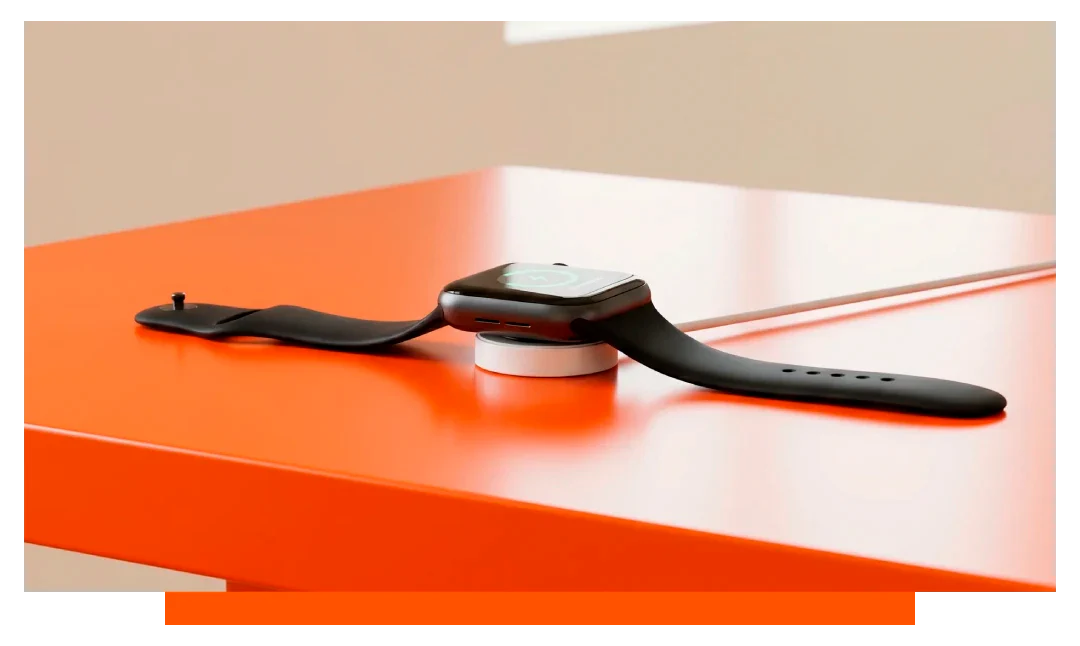
Your smartwatch gets warm while charging because energy losses in the battery, coil, and power chips turn into heat. Wireless charging is typically 60 to 75 percent efficient, so the rest becomes heat. Gentle warmth is normal, but persistent hot surfaces, slow charging, or shutdowns suggest an issue you should address.
Why is my smartwatch warm when charging?
Charging moves ions inside a lithium battery, and that process generates heat. Inductive charging adds coil losses and rectifier losses that further warm the watch. The combination usually raises surface temperature by 5 to 12 C above room temperature.
How inductive charging creates heat
Wireless chargers use magnetic fields between a transmitter coil and a receiver coil in the watch. Coil resistance, imperfect alignment, and distance cause power loss that becomes heat. Typical end to end efficiency is 60 to 75 percent, so 25 to 40 percent turns into heat.
Battery chemistry and heat limits
Lithium ion cells charge safely within 0 to 45 C battery temperature. Smartwatches regulate current to keep the pack within this window. If the pack approaches about 45 to 50 C, firmware reduces power or pauses charging entirely.
Environmental and strap factors
Ambient temperature strongly affects cooling and perceived warmth. At 30 C room temperature, a 10 C rise puts the watch near 40 C skin contact, which can feel hot. Closed back surfaces like thick leather or silicone against a pillow reduce airflow and trap heat.
Workload during charging
High CPU and radio activity add heat on top of charging. GPS syncing, LTE calls, and app updates can add 0.5 to 2 W of extra thermal load. Many watches schedule updates at night, which can coincide with charging warmth.
Is it normal for smartwatch to heat up?
Yes, modest warmth during charging is normal, particularly in the first 10 to 20 minutes of fast charge. A surface around 35 to 42 C feels warm but not painful for most people. Skin discomfort often begins near 43 to 45 C with sustained contact.
What normal looks like in practice
Expect a quick warm up, a plateau, then a cooler trickle phase above 80 percent. Thermal management lowers power when temperatures rise or when the battery approaches full. If the watch remains very hot or stops charging often, that is not normal.
Model specific notes - Apple Watch 11 and Galaxy Watch 8
Apple Watch 11 supports fast charging with a USB C puck and a suitable power adapter. Typical draw in fast charge is in the mid single digit watts, which is why you feel warmth. The case mass helps spread heat across the back crystal and chassis.
Samsung Galaxy Watch 8 uses WPC based wireless charging with optimized coil alignment. Peak charge rates are designed for quick top ups while respecting a roughly 0 to 45 C battery target. When the watch warms, charging slows to protect the cell.
Materials and fit matter
Stainless steel cases conduct and spread heat differently than aluminum or titanium. A snug fit on the charger helps alignment and reduces waste heat. Dust on the puck can increase the gap and reduce efficiency.
Typical causes, symptoms, and fixes
| Cause | Typical symptom | Approx temp rise | What to do | Model notes |
|---|---|---|---|---|
| Misaligned coil | Slow charge, warm back | +6 to 12 C | Re seat on puck | Apple Watch 11 magnets aid centering |
| High ambient | Constant throttling | +4 to 10 C | Cool room to 18 to 25 C | Galaxy Watch 8 reduces current |
| App updates | Fanless hot feel | +3 to 8 C | Pause heavy tasks | Both models schedule updates |
| Case or strap traps heat | Hot skin contact | +2 to 6 C | Loosen strap, elevate | Perforated bands help |
| Foreign object on puck | Intermittent charging | +5 to 10 C | Clean charger surface | Metal debris raises losses |
| Old adapter | Erratic power | +2 to 5 C | Use rated USB C PD | Stick to certified parts |
Safe temperatures and when to worry
Operating guidance for most wearables targets 0 to 35 C ambient while in use. Charging is designed to keep battery temperature below about 45 C. If the case feels painful or causes redness, stop and let it cool.
Red flags to act on
Repeated thermal warnings or unexpected shutdowns indicate abnormal heat. A swollen back crystal, audible hissing, or strong odor suggests battery damage. If you see any of these, unplug and contact support immediately.
Practical steps to reduce heat
Charge on a hard, cool surface, not a pillow. Remove thick cases during charging to improve airflow. Avoid placing the watch face down on metallic objects that can interfere with the field.
Align the watch carefully and confirm the charging icon. Update firmware, because thermal control algorithms improve over time. If you charge at night, enable optimized charging to limit top end heat.
Adapter and cable best practices
Use the first party puck and a quality 20 W USB C adapter or the brand rated wattage. Cheap or aging adapters can ripple and waste power as heat. Replace frayed cables that run warm to the touch.
Charging habits that help battery health
Top up between 20 and 80 percent for gentler charging. Avoid charging in hot cars or under direct sun. Heat accelerates capacity fade, which can reach 20 percent loss after 500 cycles if run hot.
Optimized settings on modern watches
Apple Watch 11 and Galaxy Watch 8 offer optimized or adaptive charging. These features learn your schedule and delay the final 80 to 100 percent segment. That late stage is where heat rises due to tight voltage control.
Smartwatch accessories and comfort
Breathable bands can help dissipate heat during a post charge wear. If you want a cooler feel after charging, try perforated or nylon options such as Apple Watch straps. or Galaxy Watch straps. A fresh puck or stand from Apple accessories can also improve alignment and efficiency.
Quick checks before blaming the battery
- Clean the puck
- Re seat watch
- Cool the room
- Pause heavy apps
- Try new adapter
Troubleshooting workflow
First, test on the original charger and adapter in a 18 to 25 C room. Take off the case, loosen the band, and charge on a table. If heat persists, update software and unpair and re pair to clear runaway services.
Next, check if heat is time bound or consistent. If it spikes only in the first 15 minutes, that is likely normal fast charge behavior. If it stays hot beyond 30 minutes, contact support for diagnostics.
When to seek service
A battery older than 2 years may run hotter charging at the same rate. Unexpected capacity drops, sudden reboots, or swelling require inspection. Apple or Samsung can run battery health and thermal logs to confirm.
Frequently asked questions
Can a hot watch damage my skin?
Short contact at 40 to 42 C is usually safe. Prolonged contact near 44 to 45 C may irritate sensitive skin. If it feels too hot, remove it and let it cool.
Should I avoid fast charging?
No, but use it smartly. Fast charging is safe within the watch thermal budget. If you notice heat, fast charge to 80 percent, then wear it.
Is a stand better than a flat puck?
Stands help alignment and airflow, which can trim a few degrees. Effectiveness depends on design and coil positioning. Choose a stand recommended by your watch maker.
Will metal bands heat more?
Metal can conduct heat away from the case, changing how warmth feels. Thick, non breathable bands can trap heat against skin. Choose breathable designs for charging comfort.
What room temperature is best?
Most watches prefer 18 to 25 C during charging. Above 30 C, expect more throttling and warmth. Charging near 0 C can also slow to protect the battery.
Conclusion - why does my smartwatch get hot while charging?
Your smartwatch heats because charging losses in the battery, coil, and power electronics become heat, especially during early fast charging. Moderate warmth is normal and managed by firmware, but persistent hot surfaces or throttling point to alignment, ambient, accessory, or battery issues. Align well, cool the environment, use certified gear, and seek service if heat remains.