Screenless trackers: what are the pros and cons?
A wearable you wear on your wrist, but without a screen. It might sound a little strange at first. So how do you know how many steps you’ve taken, how well you’ve slept or how your training is going?
Yet screenless trackers are becoming increasingly popular. While smartwatches continue to bring more and more features and information to your wrist, screenless trackers deliberately take a different approach. No notifications, no apps and no screen constantly asking for your attention. Instead, they collect all kinds of data in the background, which you can view later in an app.
But what exactly are the advantages of a screenless tracker? And when might it actually be more useful to have a screen on your wrist?
In this blog, we explain what a screenless tracker is, the main advantages and disadvantages, and who might benefit from wearing one.
What is a screenless tracker?
A screenless tracker is a wearable that you wear on your wrist to measure various aspects of your activity, health, sleep or exercise, but without a display.
Instead of showing the information directly on your wrist, the data collected is stored and then synchronised with an app on your smartphone. There, you can view your measurements, discover trends and often get more detailed insights.
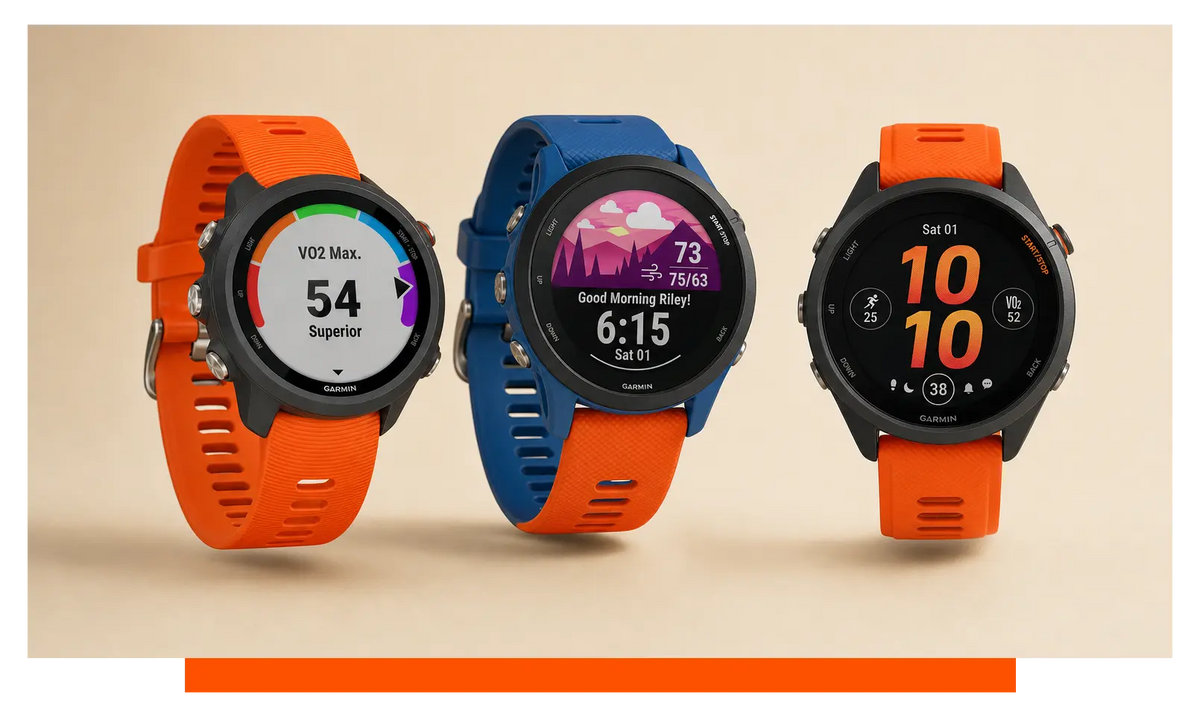
The main difference between a screenless tracker and a smartwatch or activity tracker with a screen is therefore not necessarily what is being measured, but rather how you view the information.
A screenless tracker is less focused on interaction and more on collecting data in the background. You wear the tracker, go about your day, exercise or sleep, and check the results later in the accompanying app.
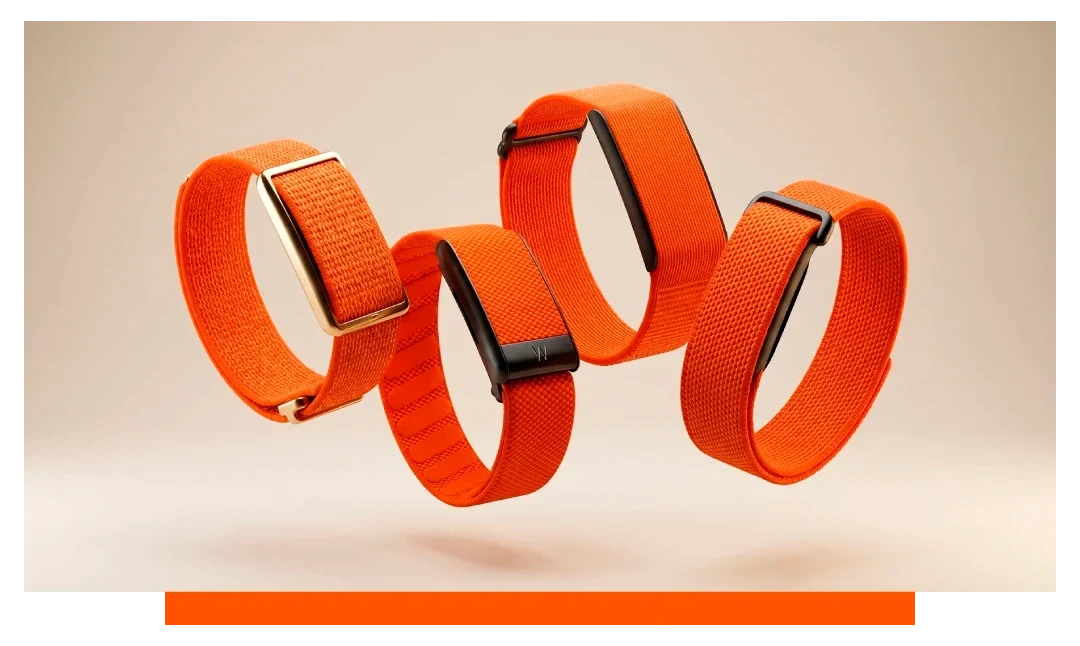
Well-known examples of screenless wearables include Whoop, Polar Loop, Garmin Cirqa and Fitbit Air. Although they all share the concept of a wearable without a screen, their features, measurements and the way they present your data can vary considerably.
And that is an important advantage: you are not simply choosing a tracker without a screen, but a wearable that fits the way you want to monitor your health and activity.
The advantages of a screenless tracker
At first glance, a tracker without a screen might seem like a wearable with fewer features. After all, you cannot read anything from it or respond directly to notifications. Yet for many people, the absence of a screen is a deliberate choice.
A screenless tracker is less about what happens on your wrist and more about the data you collect throughout the day. This comes with a number of interesting advantages.
Less distraction
One of the most obvious benefits is that a screenless tracker is less likely to distract you.
A smartwatch can show messages, calls, calendar appointments and other notifications directly on your wrist. Convenient, but it also means you may find yourself checking your watch more often.
A screenless tracker does not do this. There is simply no screen displaying notifications or other information. This can help you use your phone more consciously, without feeling the need to check your wrist every time it vibrates or something happens.
For people who want to reduce their screen time or prefer to stay completely focused while exercising, this can be a major advantage.
Focus on measuring rather than checking
With a screenless tracker, the focus is primarily on collecting data. Depending on the model, this might include activity, sleep, heart rate or other health and training metrics.
This means you do not have to constantly check how you are doing throughout the day. The tracker collects the information in the background, and you can look at what has been recorded later in the accompanying app.
It creates a different way of interacting with your data: rather than constantly checking individual numbers, you can look back at your data and identify patterns over time.
Less distraction while exercising
The lack of a screen can also be useful when you are exercising.
When you cannot see live statistics on your wrist during a workout, you are less likely to keep checking your pace, heart rate or other metrics. Instead, you can focus entirely on your workout.
Of course, that does not mean a screenless tracker is the right choice for every athlete. If, for example, you like to keep an eye on your pace or heart rate zone while running, having a screen can be very useful.
The key difference is how you want to use your training data: do you want to view it during your workout, or analyse it afterwards?
A subtle and simple design
Without a screen, a wearable does not need to accommodate a display, controls and other interactive features. As a result, screenless trackers can have a relatively subtle design.
That can be appealing if you like wearing a wearable but do not want a large smartwatch on your wrist. The device can also be lighter, which can make it more comfortable to wear.
You also do not need to spend much time interacting with the device itself. You simply wear the tracker and let it do its job. Most of the interaction takes place in the app.
A strong focus on sleep and recovery
Screenless trackers are often used to monitor more than just activity, including sleep and recovery. This makes them interesting for people who want to look beyond simply counting steps or calories burned.
Because you can often wear a tracker day and night, it can build up a picture of your sleep, activity and recovery over a longer period. The app can then present and combine this data in a clear and accessible way.
Exactly which data is measured and what insights you receive will vary from one tracker to another. When comparing different models, it is therefore worth looking beyond the absence of a screen and focusing on the measurements and features that matter to you.
Less smartwatch, more tracker
Perhaps the biggest advantage is that a screenless tracker deliberately tries to do less.
You do not receive messages on your wrist, you do not need to open apps and there is no extensive menu to navigate. For some people, that is exactly the point.
A screenless tracker can therefore offer a useful middle ground between having no wearable at all and wearing a smartwatch packed with features. You still get personal insights into your activity, sleep and health, but without constantly interacting with them on your wrist.
The disadvantages of a screenless tracker
Many of the advantages of a screenless tracker are directly linked to the fact that it has no screen. Less distraction, a simpler design and more focus on collecting data can all be appealing. At the same time, not having a screen also means missing out on certain features and the instant overview you get from a smartwatch.
Whether that is a disadvantage largely depends on what you expect from a wearable.
You cannot view your data directly on your wrist
The most obvious disadvantage is, of course, that you cannot read anything from the tracker itself.
Want to know how many steps you have taken, what your heart rate is or how your training is going? In most cases, you will need to open the accompanying app on your smartphone to check.
That does not have to be a problem if you are mainly interested in reviewing your data afterwards. However, if you regularly want to check your statistics during an activity, the lack of a screen can be less practical.
Less suitable for real-time information while exercising
For some athletes, immediate feedback is important. Think of checking your current pace while running, your heart rate during an intense workout or your distance while cycling.
With a sports watch or smartwatch, you can view this type of information directly on your wrist. With a screenless tracker, this is generally not possible.
A screenless tracker can still record your workout perfectly well, but the way you use the data is different. You mainly analyse your performance afterwards, rather than continually adjusting your workout based on what you can see on your wrist.
You are more dependent on the smartphone app
Because the tracker itself has no screen, the accompanying app plays an important role. This is where your data is collected, displayed and often analysed in more detail.
There are advantages to this: a smartphone simply offers much more space for detailed graphs, trends and insights than a small screen on your wrist.
At the same time, it means that you depend on your phone and the capabilities of the accompanying app to view your results. The overall experience of using a screenless tracker is therefore largely shaped by the software that comes with it.
Fewer features than a smartwatch
A screenless tracker is generally not designed to replace all the functions of a smartwatch.
For example, you cannot simply read messages, set a timer, control music or use navigation when there is no screen to interact with. Other interactive features you may be used to from a smartwatch are also absent.
That might sound like a disadvantage, but it is primarily a difference in approach. A smartwatch is designed to bring more and more functions to your wrist, while a screenless tracker deliberately takes on a more focused role.
You miss the instant overview
A screen can also simply be useful. Sometimes you just want to quickly check the time, see how many steps you have taken or find out how much longer your workout will last.
With a screenless tracker, you need another device to do this.
For someone who likes having everything immediately available on their wrist, this can take some getting used to. On the other hand, if you prefer to spend less time looking at screens, you may not miss it at all.
Not every screenless tracker measures the same things
Finally, it is important not to assume that all screenless trackers offer the same capabilities.
The absence of a screen tells you very little about the sensors, measurements and software used by a tracker. One wearable may be strongly focused on training and recovery, while another places more emphasis on daily activity, sleep or general health insights.
When comparing trackers, it is therefore worth looking beyond simply whether or not they have a screen. Focus instead on what you want to measure and how you want to use that information.
Fewer features, or simply less distraction?
The disadvantages of a screenless tracker are really two sides of the same coin. Not having a screen means you can see and do less directly, but at the same time, the wearable demands less of your attention.
The key question is therefore not whether a screenless tracker is better or worse than a wearable with a screen. It is about which way of using a wearable suits you best.
Do you want to see everything directly on your wrist while exercising? Then a screen can be an important feature. Do you prefer to let your tracker collect data in the background and review it later in an app? Then a screenless tracker could be a good fit for you.
Screenless tracker or smartwatch: which is right for you?
At first glance, a screenless tracker and a smartwatch may seem quite similar. You wear both on your wrist, and both can collect various types of activity and health data. However, they have been designed with very different approaches in mind.
While a smartwatch continues to bring more and more features to your wrist, a screenless tracker deliberately focuses on simplicity. The question is therefore not so much which of the two is better, but what you want to use a wearable for.
Should you choose a screenless tracker?
A screenless tracker can be an interesting option if you mainly want insights into your activity, sleep, recovery or other health data, without constantly looking at a screen throughout the day.
The lack of a display means you are less likely to be distracted by notifications and other information. You simply wear the tracker and let it collect data in the background. Whenever you want to find out more, you can view the results in the accompanying app.
This can be a good fit for people who:
-
want less distraction from their wearable;
-
are mainly interested in health, sleep and recovery;
-
prefer to analyse their training data afterwards;
-
are looking for a subtle wearable;
-
do not need apps and notifications on their wrist.
Or would a smartwatch suit you better?
A smartwatch can be a more suitable option if you like having information immediately available throughout the day or during your workouts.
For example, you can view your heart rate, pace, distance and other data directly on the screen. Smartwatches also tend to offer features that go beyond activity and health tracking, such as notifications, music controls, navigation and other apps.
A smartwatch may therefore be a better fit for people who:
-
want to view real-time data while exercising;
-
want notifications and other smartphone features on their wrist;
-
consider navigation or music controls important;
-
like having lots of functions combined in one device;
-
regularly want to be able to check information directly on their wrist.
At a glance
| Screenless tracker | Smartwatch | |
|---|---|---|
| Screen | No | Yes |
| Health and activity data | Depends on model | Depends on model |
| View data directly on your wrist | No | Yes |
| Real-time sports information | Limited or unavailable | Often available |
| Smartphone notifications | Not on the device | Often available |
| Apps and additional features | Limited | Extensive |
| Focus on simplicity and less distraction | Strong | Less central |
| View data in an app | Yes | Yes, often on the watch too |
The exact features will of course vary from one model to another. Not every smartwatch has the same sensors and functions, and screenless trackers can also differ considerably from each other.
More or less? It comes down to what you need
Ultimately, the biggest difference between the two types of wearable is the amount of information and interaction you want to have on your wrist.
A smartwatch can do a lot for you and provide information continuously. A screenless tracker deliberately does less in the moment and leaves most of the interaction to the app.
That makes the choice a personal one. Do you mainly want to collect data and gain insights afterwards, or do you want immediate information and features available throughout your day and during your workouts?
Once you know what you are looking for, it becomes much easier to decide which type of wearable suits you.
Which screenless tracker is right for you?
Have you decided that a wearable without a screen is the right choice for you? Then the next question is: which screenless tracker best matches what you are looking for?
Although the basic concept is the same, screenless trackers are not all identical. Some may focus more heavily on training and recovery, while others place greater emphasis on daily activity, sleep or the ecosystem you already use.
Here are some well-known screenless trackers to consider.
Whoop: a strong focus on training, recovery and sleep
Whoop places a strong emphasis on collecting and interpreting data around training, recovery and sleep. The tracker has no screen, so you are not constantly confronted with your data while wearing it.
The accompanying app therefore plays an important role. This is where your collected data is presented, allowing you to monitor trends over a longer period of time.
If you are particularly interested in the relationship between exercise, recovery and sleep, it is worth taking a closer look at what Whoop has to offer. One thing to keep in mind is that a subscription is required, so there is an ongoing cost involved.
Polar Loop: screenless training within the Polar ecosystem
The Polar Loop is a screenless wearable from Polar. The lack of a display allows the tracker to stay in the background, while you can view the data it collects through the accompanying software.
If you are already familiar with the Polar ecosystem, it may be worth exploring how a screenless wearable could fit into it.
Want to know more about this tracker? If you are interested in this model, you can find all the Polar Loop straps you need right here.
Garmin Cirqa: screenless within Garmin
Garmin is also responding to the growing interest in screenless wearables with the Garmin Cirqa.
One advantage of choosing a wearable within an existing ecosystem is that you are not only considering the device itself, but also the software and other products you can use alongside it.
Already use Garmin products, or interested in the Garmin ecosystem? Then it is worth exploring how a screenless tracker could fit into the way you use your other Garmin devices.
You can also take a look at our Garmin Cirqa straps if you are planning to buy this model.
Fitbit Air: health and activity tracking without a screen
The Fitbit Air is another option for anyone who wants to track health and activity data without a display on their wrist.
Here too, your data is primarily viewed through the accompanying app. This keeps the tracker itself simple and discreet, while your smartphone gives you more space to explore your data and trends.
The Fitbit Air is popular as an affordable option. Thinking about buying this model? Take a look at our Fitbit Air straps too, so you can give your tracker a look that is completely your own.
Curious about a more detailed comparison of the different models? Take a look at our blog comparing the Polar Loop, Amazfit Helio, Whoop 5.0 and Fitbit Air.
Which one is right for you?
Ultimately, the key differences are not just about whether or not the trackers have a screen. What matters just as much is how they collect, interpret and present your data.
When comparing screenless trackers, think about what matters most to you. Are you mainly interested in training and recovery? Is sleep and everyday health more important to you? Or does the ecosystem you already use play a major role in your decision?
By first deciding which features matter most to you, it becomes easier to find the screenless tracker that fits your needs.
Who is a screenless tracker suitable for?
A screenless tracker is not necessarily the most obvious choice for everyone. The lack of a screen is both its biggest advantage and its main difference from a smartwatch.
However, a tracker without a screen can be a great fit for people who want insights into their health and activity without constantly interacting with their wearable.
You want less distraction
Would you rather not receive messages, notifications and other distractions on your wrist? Then a screenless tracker could be an interesting option.
Your wearable collects your data in the background, without constantly prompting you to look at it.
You are mainly interested in your health and activity
A screenless tracker can be useful if you mainly want to keep track of how you move, sleep, train and recover.
You do not necessarily need to look at this information during the day or while exercising. You may actually prefer to review your data calmly at the end of the day or week and look for patterns over time.
You want to track your data, but do not need a smartwatch
Perhaps you would like to take advantage of the capabilities of a modern wearable, but do not actually need a smartwatch.
You may want to track your activity and sleep, for example, without reading messages, controlling music or using apps on your wrist. In that case, a screenless tracker can offer an interesting middle ground.
You do not want to keep looking at your wrist while exercising
For some athletes, it is actually preferable to focus on the workout rather than constantly checking numbers.
A screenless tracker can collect your data while you concentrate fully on your training. Afterwards, you can see how you performed and what insights you can take from the data.
If you would rather monitor your pace, heart rate, distance or other statistics in real time while exercising, a wearable with a screen will probably be more practical.
You prefer a subtle wearable
Finally, the size and appearance of a wearable can also play a role. A screenless tracker does not need a display, which can give it a more subtle appearance.
This can be appealing if you like wearing a wearable throughout the day and night, but would rather not have a noticeable watch on your wrist.
In short
A screenless tracker can be particularly interesting if you want insights with less interaction.
You wear the tracker, let it collect data in the background and check the results whenever it suits you. For people who prefer this approach, a screenless wearable can be an interesting addition to an active and healthy lifestyle.
If you are looking for real-time information, extensive smartwatch features or direct control from your wrist, a wearable with a screen may be a better fit for your needs.
Frequently asked questions about screenless trackers
Do you need a phone for a screenless tracker?
In most cases, yes. A screenless tracker does not have a display on which you can view your data. The information collected is therefore generally synchronised with an app on your smartphone. This is where you can view your activity, sleep, workouts and other measurements.
Can a screenless tracker measure your heart rate?
That depends on the model. Many modern trackers have sensors that can measure heart rate, activity and other metrics. The measurements available vary from one tracker to another, so always check the specifications of the model you are considering.
Can you use a screenless tracker while exercising?
Yes. Depending on the model, a screenless tracker can collect various types of data while you exercise. The main difference compared with a sports watch or smartwatch is that you generally cannot view this information directly on your wrist.
If, for example, you want to keep checking your pace or heart rate during a workout, having a screen can be a useful addition.
Can you sleep with a screenless tracker?
Yes. Many screenless trackers are designed to be worn day and night and can collect sleep data. Because there is no screen, you also do not need to interact with the wearable during the night.
Which sleep metrics are measured and how they are presented will vary depending on the model.
Does a screenless tracker have a longer battery life?
The lack of a screen can contribute to lower power consumption, but battery life varies from one tracker to another. Sensors, measurement frequency and other features can also affect how long the battery lasts.
When comparing different models, always check the stated battery life of the specific tracker you are considering.
Is a screenless tracker the same as an activity tracker?
Not quite. An activity tracker is a broader term for a wearable that measures things such as movement, activity or health. A screenless tracker primarily describes the form of the wearable and how you interact with it: it simply does not have a screen.
A screenless tracker can therefore be an activity tracker, but the absence of a screen does not tell you which measurements the device can actually record.
What is the difference between a screenless tracker and a smartwatch?
The main difference is that a smartwatch provides information and features directly on your wrist, while a screenless tracker moves most of the interaction to the smartphone app.
A smartwatch can therefore be useful for real-time sports information, notifications, navigation and other interactive features. A screenless tracker focuses more on collecting data without requiring you to constantly look at your wrist.
Which screenless tracker should I choose?
That depends on what you want to measure with your wearable and how you want to use the data. When comparing trackers, do not just look at whether or not they have a screen. Also consider the available measurements, the app, battery life, comfort and the ecosystem the tracker is part of.
Whoop, Polar Loop, Garmin Cirqa, Amazfit Helio and Fitbit Air are among the options that offer a screenless approach, but their features and areas of focus can vary considerably.
Conclusion
A screenless tracker may take a little getting used to. There is no display showing your steps, heart rate or notifications throughout the day. At the same time, that is exactly what makes these wearables so interesting. They collect data about your activity, sleep, training and recovery in the background, without constantly demanding your attention.
Whether a screenless tracker is right for you largely depends on what you expect from a wearable. If you want less distraction and mainly want to review your data afterwards, a tracker without a screen could fit well with your lifestyle. If you prefer to view real-time information while exercising or use a wide range of features directly from your wrist, a smartwatch or sports watch may be more suitable.
There is no one-size-fits-all choice. The most important thing is to consider what you want to measure, how you want to use the data and how much information you want to have immediately available on your wrist. With options including Whoop, Polar Loop, Garmin Cirqa, Amazfit Helio and Fitbit Air, there are several screenless wearables to explore and find the approach that works best for you.